![Netstream_White_RGB[1].svg]](https://docs.netstream.ch/hubfs/Netstream_White_RGB%5B1%5D.svg)
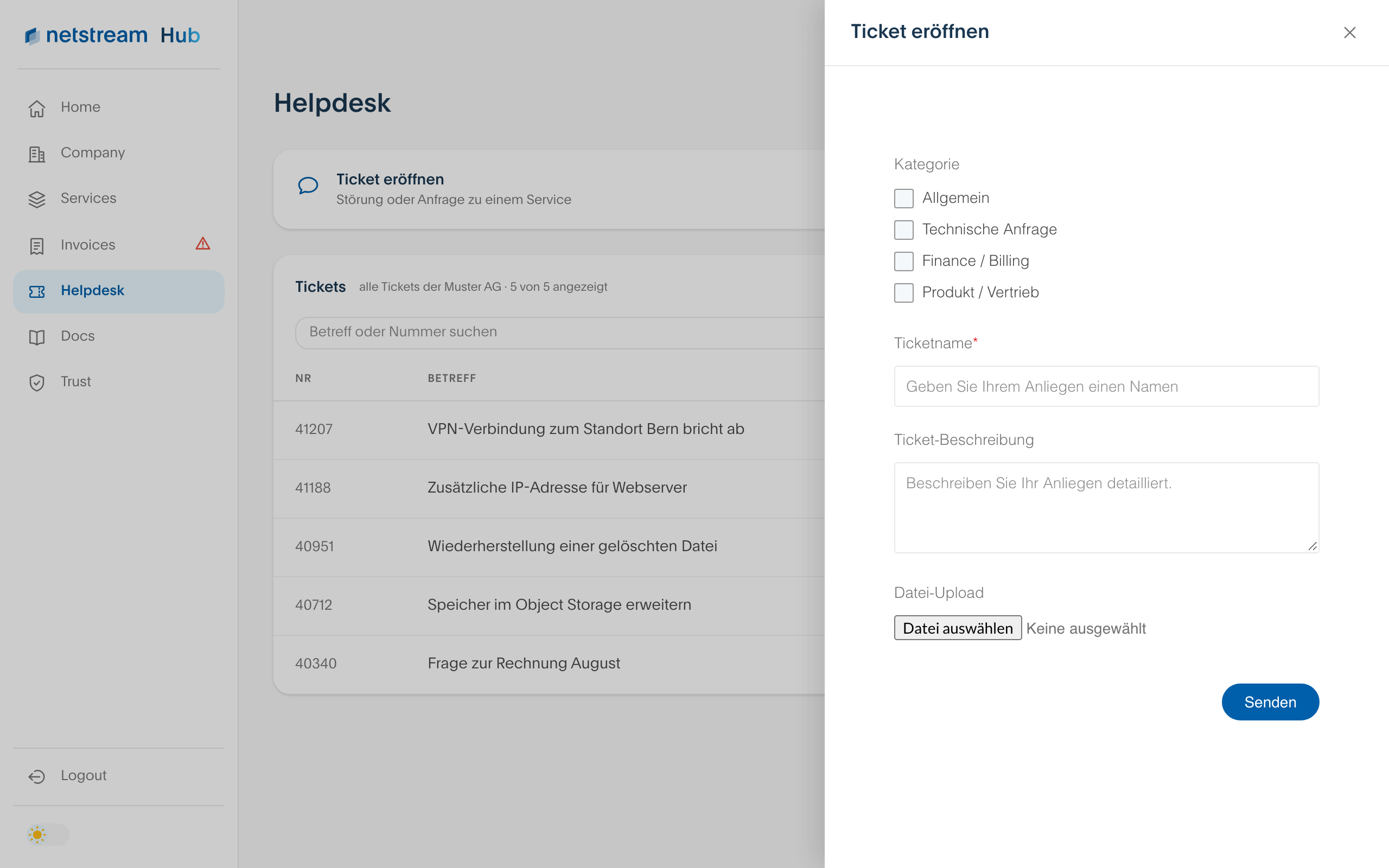
The Netstream Hub is currently only available in German. The English version will follow. Until then, the screenshots show the German interface, and button and field names are given in German with the English meaning in brackets.
All users can open tickets, regardless of their role.
Opening a ticket
- Open «Helpdesk» and select «Ticket eröffnen» (Open ticket).
- If possible, choose a category: Allgemein (General), Technische Anfrage (Technical request), Finance / Billing or Produkt / Vertrieb (Product / Sales). This helps us to classify your request more quickly.
- Give your request a name and describe it as precisely as possible. If needed, attach a file.
- Select «Senden» (Send).
After submitting
You receive a confirmation by email with the ticket ID. The ticket appears in the ticket list under «Helpdesk». There you see all tickets of your company and can filter to your own with «Nur meine Tickets» (Only my tickets).
How we handle tickets is described in the article Helpdesk.